WordPress SEO Audit: How to Find and Fix the Issues Holding Your Site Back
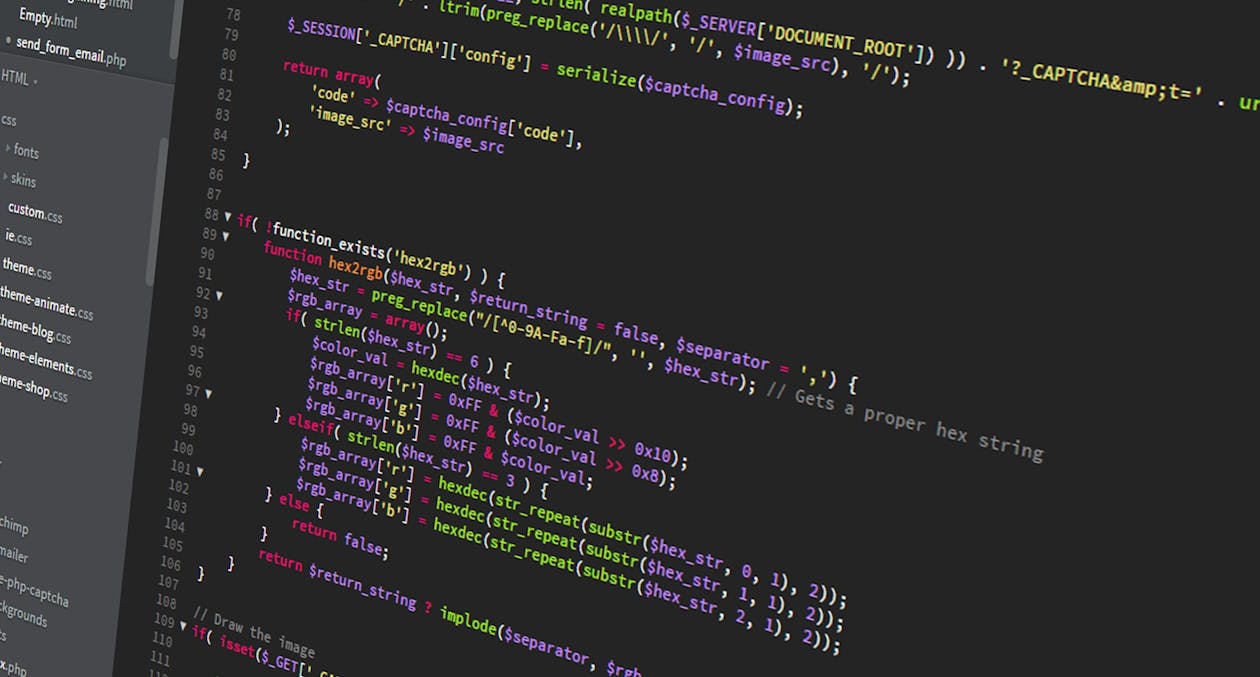
If your WordPress site isn't generating the traffic or leads you expect, the problem probably isn't your product or your pricing — it's your visibility. A thorough WordPress SEO audit is the fastest way to diagnose exactly what's holding your site back in search results and build a clear roadmap to fix it. Whether your site has never ranked well or it used to perform and recently dropped, an audit gives you answers instead of guesses.
What Is a WordPress SEO Audit and Why Does It Matter?
A WordPress SEO audit is a systematic review of every factor that influences how search engines discover, crawl, index, and rank your site. It covers technical infrastructure, on-page content, site speed, mobile usability, internal linking, and backlink health. Unlike a general website review, an SEO audit is specifically designed to surface the gaps between where your site is now and where it needs to be to compete in search results.
For businesses in Minneapolis and across Minnesota, this matters more than ever. Local competition online has intensified, and simply having a WordPress site is no longer enough. Google's ranking algorithms evaluate hundreds of signals simultaneously, and a single overlooked issue — a slow server, duplicate meta descriptions, or a misconfigured robots.txt file — can suppress your rankings across the board.
The good news is that most WordPress SEO problems are fixable once you know they exist. The audit is the diagnostic step that makes everything else possible. Without it, you're essentially optimizing blind.
Step 1: Start With a Technical SEO Crawl
The foundation of any WordPress SEO audit is a technical crawl. Tools like Screaming Frog, Sitebulb, or Ahrefs Site Audit spider your site the way Googlebot does and surface issues you'd never spot by browsing manually.
Key technical issues to look for include:
- Broken internal links (404 errors) — These waste crawl budget and create dead ends for users and search engines alike.
- Redirect chains — Multiple redirects strung together slow down page load and dilute link equity.
- Duplicate content — WordPress can inadvertently create duplicate URLs through category pages, tags, pagination, and URL parameter variations.
- Missing or misconfigured canonical tags — Without proper canonicalization, Google may index the wrong version of your pages.
- Robots.txt errors — A single wrong directive can accidentally block entire sections of your site from being crawled.
After running your crawl, prioritize fixes by impact. Broken pages and crawl blocks should be addressed first — everything else builds on top of a clean technical foundation.
You'll also want to verify your XML sitemap is correctly configured in Google Search Console. WordPress plugins like Yoast SEO or Rank Math generate sitemaps automatically, but they still need to be submitted and monitored for errors.

Step 2: Audit Your On-Page SEO and Content Quality
Once your technical house is in order, shift attention to the content side of your WordPress SEO audit. This is where many sites — especially those that have been publishing for years — accumulate the most hidden drag on their rankings.
Start by reviewing your title tags and meta descriptions. Every page and post should have a unique title that includes a target keyword and accurately describes the page content. Meta descriptions won't directly move your rankings, but compelling ones improve click-through rates, which is a signal Google pays attention to. WordPress SEO plugins make it easy to edit these at the page level — use them.
Next, evaluate your heading structure. Each page should have one H1 that contains your primary keyword, followed by H2 and H3 subheadings that organize the content logically. A disorganized heading structure confuses both users and crawlers.
Content quality is harder to audit but just as important. Look for:
- Thin pages — Pages with fewer than 300 words and no clear purpose often drag down overall site quality.
- Keyword cannibalization — Multiple pages targeting the same keyword compete with each other and dilute your authority.
- Outdated posts — Old content with stale statistics or broken references sends quality signals you don't want.
- Missing alt text on images — Every image on your site should have descriptive alt text for accessibility and image search indexing.
Content pruning — consolidating or removing low-quality pages — is one of the highest-leverage moves you can make after an audit. Sites that have trimmed thin content have seen significant ranking improvements within weeks.
Step 3: Evaluate Site Speed and Core Web Vitals
Google has made page experience a formal ranking factor, and Core Web Vitals are the metrics it uses to measure it. A WordPress SEO audit that ignores speed is an incomplete audit.
The three Core Web Vitals metrics are:
- Largest Contentful Paint (LCP) — How long it takes for the main content of a page to load. Target under 2.5 seconds.
- Interaction to Next Paint (INP) — How quickly your page responds to user interactions. Target under 200 milliseconds.
- Cumulative Layout Shift (CLS) — How much the page layout shifts unexpectedly during load. Target under 0.1.
You can check these metrics in Google Search Console under the "Page Experience" report, or use Google's PageSpeed Insights tool for per-URL analysis. WordPress-specific speed issues often come down to bloated themes, unoptimized images, too many plugins, or hosting that isn't suited to the site's traffic level.
Common WordPress speed fixes include switching to a lightweight theme, implementing a caching plugin, serving images in modern formats like WebP, using a content delivery network (CDN), and cleaning up unused plugins. If your hosting is a shared environment and your site has grown significantly, a server upgrade is often the most impactful single change you can make.

Step 4: Analyze Backlinks and Authority Signals
No WordPress SEO audit is complete without looking at who is linking to your site — and who your competitors are earning links from. Backlinks remain one of Google's strongest ranking signals, and a gap in your link profile often explains why a well-optimized page still doesn't rank.
Use a tool like Ahrefs, Semrush, or Moz to pull your full backlink profile. Look for:
- Toxic or spammy links — Low-quality links from irrelevant or penalized sites can drag down your domain authority. Use Google's Disavow tool if you find a pattern of problematic links pointing at your site.
- Lost backlinks — Links you used to have but no longer do are worth reclaiming. Often a simple outreach email to the referring site restores them.
- Competitor link gaps — Pages on competing sites that rank above you often have more or higher-quality links. Identifying where those links come from gives you a target list for your own outreach.
For local businesses in Minnesota, local backlinks carry extra weight. Links from local business directories, Minneapolis-area news sites, community organizations, and regional industry associations all reinforce your geographic relevance to Google. This is a layer of link building that national competitors often overlook.
A WordPress SEO consultant can help you interpret your backlink profile and build a realistic link acquisition strategy — especially if your site has a complicated history or has been penalized in the past.
Step 5: Check Your Internal Linking Structure
Internal links are one of the most underutilized tools in WordPress SEO, and auditing them is a step many site owners skip entirely. Every internal link passes authority from one page to another and signals to Google which pages you consider most important.
During your audit, map out which pages receive the most internal links and which are essentially orphaned — published but not linked from anywhere. Orphaned pages are nearly impossible to rank because Google has no efficient path to find or crawl them.
A strong internal linking strategy connects related content in a logical hierarchy. Your most important service pages and cornerstone content should receive links from multiple other pages across your site. Blog posts should link to relevant service pages, and those service pages should link to supporting blog content in return.
WordPress makes it easy to add internal links manually as you edit posts, but auditing them at scale requires a crawl tool. Look for opportunities to link high-traffic pages to conversion-focused pages — this is where internal linking directly impacts your bottom line, not just your rankings.
Running a complete WordPress SEO audit takes time and a clear process, but the payoff is a site that finally works as hard as you do. If you'd rather have experienced professionals handle the analysis and implementation, the team at Website Designer MN specializes in WordPress SEO services for businesses throughout Minneapolis and Minnesota. We'll identify what's holding your site back and build a plan to fix it — starting with the issues that move the needle fastest.
Ready to Grow Your Business?
Get a free consultation with our team. No pressure, no commitment.
Get a Free Quote